
Run your café. Keep it simple.
MasaKasa is a simple, modern system for managing tables, menus and orders from one place.
Works with the till and printer you already have.
- No hardware to buy
- Works offline
- Nothing to install
One order, start to finish.
Three taps at the table, two stations printing, one order number. Nothing written twice and nothing on paper.
Waiter's phone
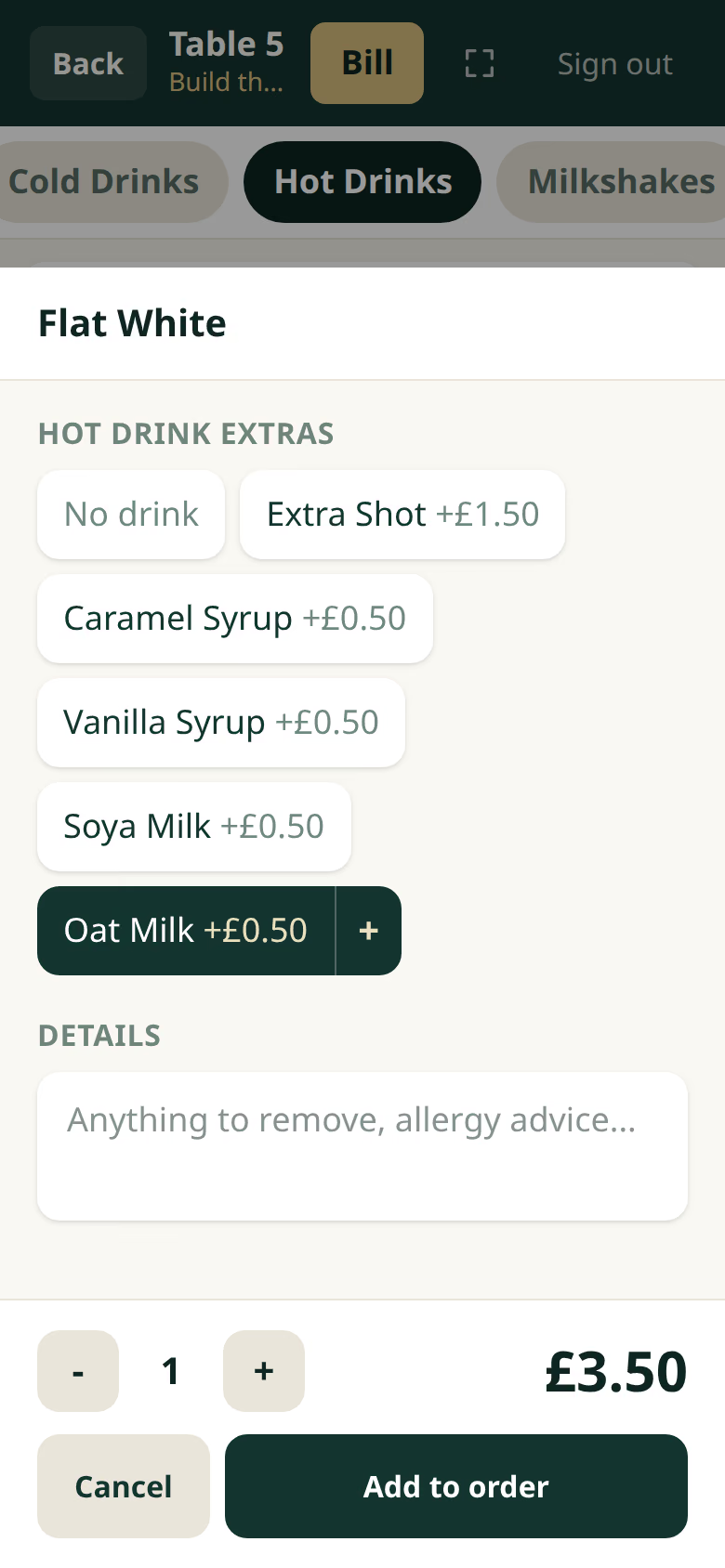
- Flat White£3.00Hot drink extras · Oat Milk +£0.50
- Set 1£9.50Tea · Toast
Till
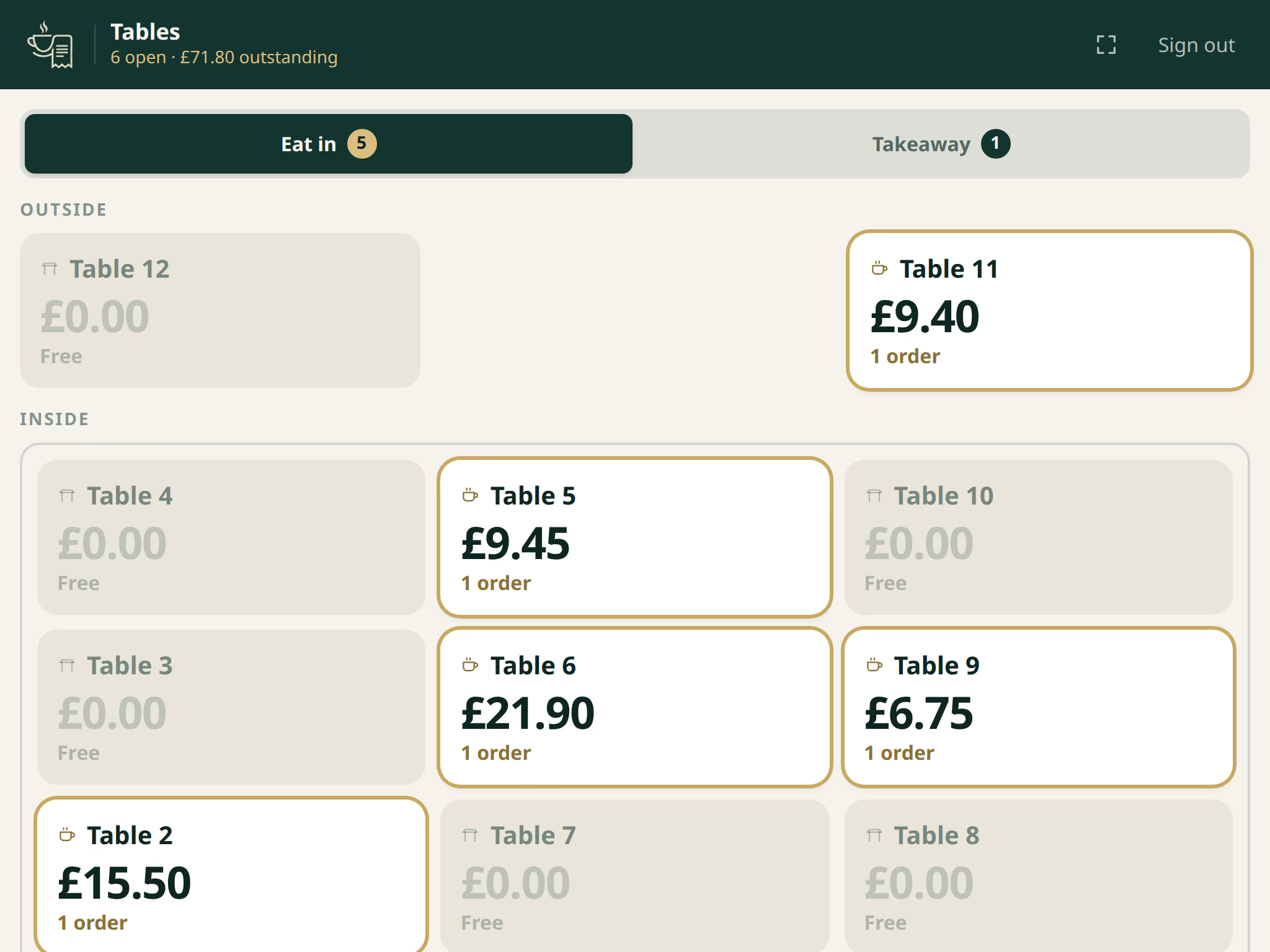
- Table 4£0.00Free
- Table 5£0.00Free
- Table 6£13.001 order
- Table 7£0.00Free
- Table 9£0.00Free
- Table 11£0.00Free
Printer
- Set 1x1
- Toastx1
- Flat Whitex1+ Oat Milk
- Teax1INCLUDED WITH SET 1
Two stations, one order number #84.
- 01The waiter opens Table 6 on their phone.
- 02Flat White, with oat milk as an extra.
- 03Set 1, with the included tea and a slice of toast.
- 04Send. Table 6 turns busy on the till at £13.00.
- 05Two tickets print, one for each station.
- 06The bar ticket carries the tea, marked as part of Set 1.
- 07Payment is taken, the drawer opens, Table 6 goes free.
Everything your front of house needs.
MasaKasa brings the essential tools for running your service into one simple interface.
Tables
Keep track of your tables and their current status.
Orders
Take and manage orders quickly during service.
Menu
Manage products, categories and prices from one place.
Cashier
Keep your front-of-house workflow organised and simple.
Designed around your service.
MasaKasa keeps the important information where your team needs it, without adding unnecessary complexity.
See your tables at a glance.
Every table laid out as the room actually is, showing which are busy and what they owe. Eat in and Takeaway are kept apart.
Take and manage orders with fewer steps.
Pick a table, browse the menu, set options and extras, add a note and send. Prices are recalculated on the server every time.
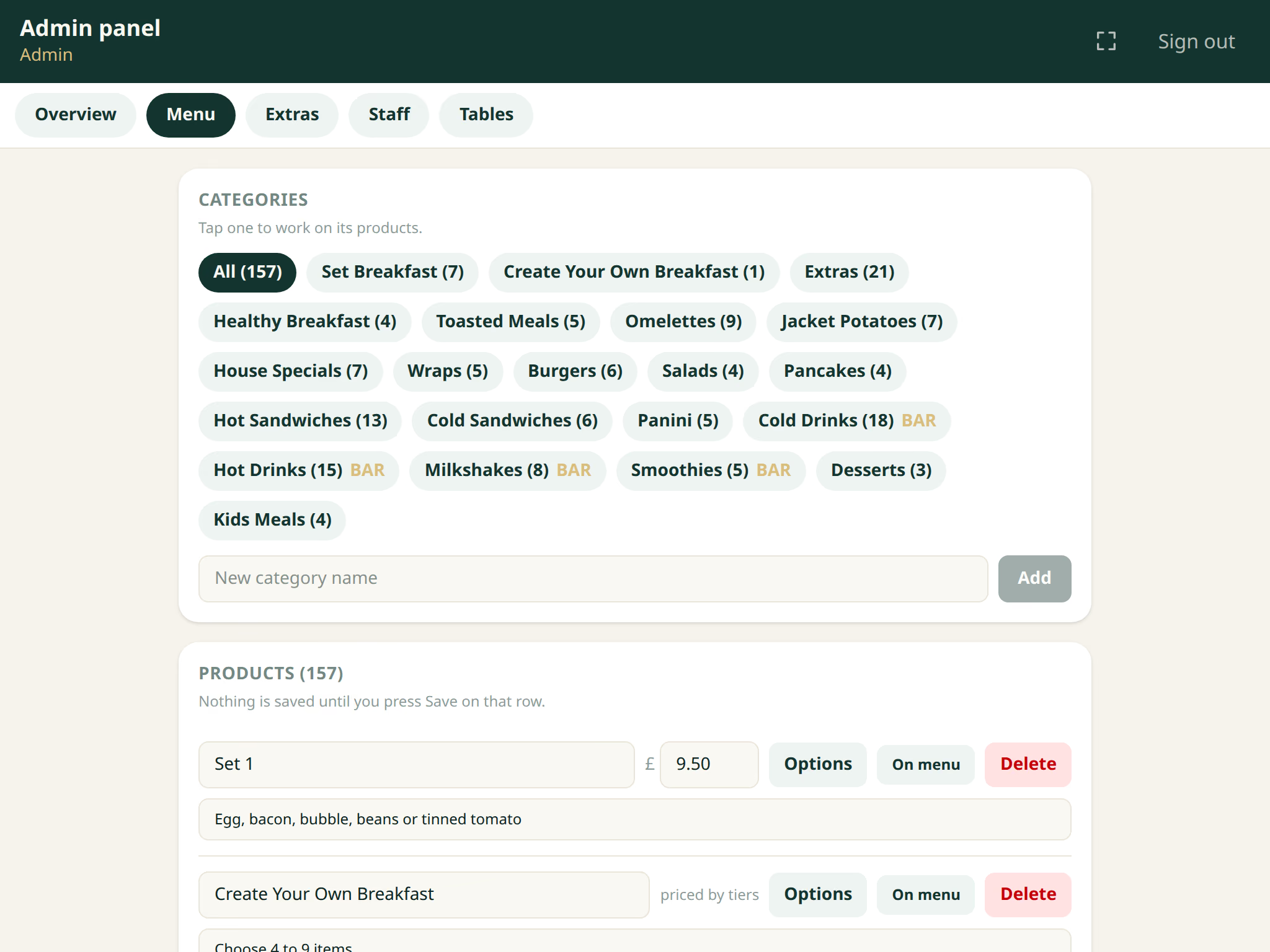
Keep your menu up to date.
Categories, products, prices, option groups and extras, all edited in the browser. Changing a price does not need a developer.
Simple from day one.
- 01
Set up your menu
Add your products, categories and prices.
- 02
Manage your tables
See what's happening across your café or restaurant.
- 03
Run your service
Take orders and manage your front-of-house workflow from one place.
Less complexity. More control.
Simple to use
Designed around the everyday workflow of cafés and small restaurants.
Browser based
Staff use it from a browser on the devices they already have.
Built for small businesses
Focused on the features smaller hospitality businesses actually need.
Easy to manage
Keep tables, menus and orders organised from one place.
No hardware to buy
Works with the till, printer and cash drawer you already have.
Keeps working offline
It runs on your own network, so a dropped internet connection does not stop service.
What you need to run it.
A small computer at the venue
MasaKasa is installed there and runs on your own network.
The printer and drawer you already use
A standard ESC/POS thermal printer and a USB-triggered cash drawer.
Any modern phone or tablet
Staff open a browser. Chrome 111 or later, Safari 16.4 or later, or the equivalent.
MasaKasa does not process card payments. It records that a payment was taken and opens the drawer, and it works alongside the card machine your venue already has.
No per-terminal monthly fee. No hardware to buy.
Questions we get asked.
Does MasaKasa process card payments?
No. MasaKasa records that a payment was taken, splits the bill if you need to, and opens the cash drawer. Cards are still taken on the card machine your venue already has, exactly as they are now.
What happens if the internet drops?
Service carries on. MasaKasa runs on a computer at your venue, on your own network, so taking orders, printing tickets and closing tables do not depend on your internet connection.
Do staff need to install an app?
No. Staff open a browser on the phone or tablet they already carry and sign in with their own code. There is nothing to install and nothing to buy for a new starter.
Can I change my own prices?
Yes. Categories, products, prices, option groups and extras are all edited in the browser from the admin screens. You do not need a developer to change a price.
What hardware do I need?
A small computer at the venue to run it, a standard ESC/POS thermal printer, a USB-triggered cash drawer, and any modern phones or tablets for your staff. Most venues already have the printer and drawer.
Can I lay out my own room?
Yes. The floor plan is data, not code. Your tables are arranged to match the room you actually have, and Eat in and Takeaway are kept on separate tabs.
See MasaKasa in action.
Tell us a little about your business and we'll arrange a demonstration.
Prefer to talk? Message us on WhatsApp or call 07457 405948.
We use these details only to reply to your enquiry and arrange a demonstration. Nothing else. Privacy notice.